

The Subscription screen shows information about your impact.com subscription, the associated fees, and lets you download your order form as a PDF. Keep in mind that your subscription and usage are governed by impact.com's terms of use.
From the top navigation bar, select your balance → Subscriptions.
On the Overview screen, view your your subscription widget showing a summary of your subscription.
Your monthly impact.com subscription fee
Your subscription period
The total purchase price variance (PPV) allotment used during the subscription period. Refer to the usage details section for more information.
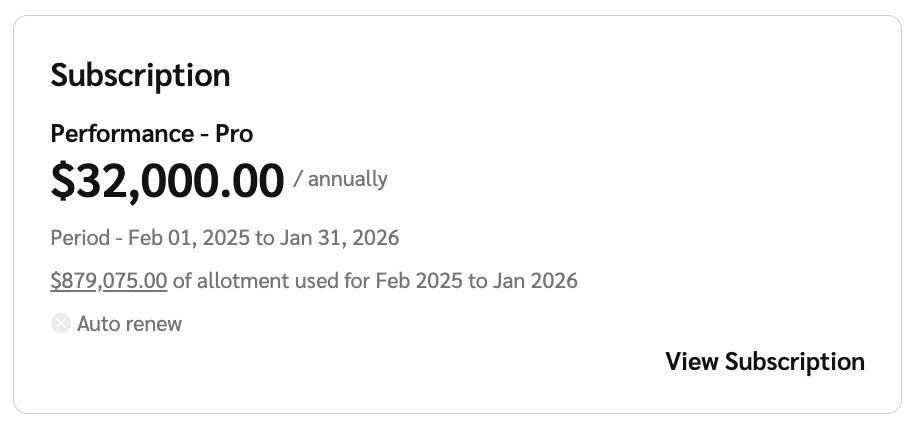
Select View Subscription to view more information about your subscription.
View the Details and Subscription Fee reference sections below for more information about the fields on this screen.
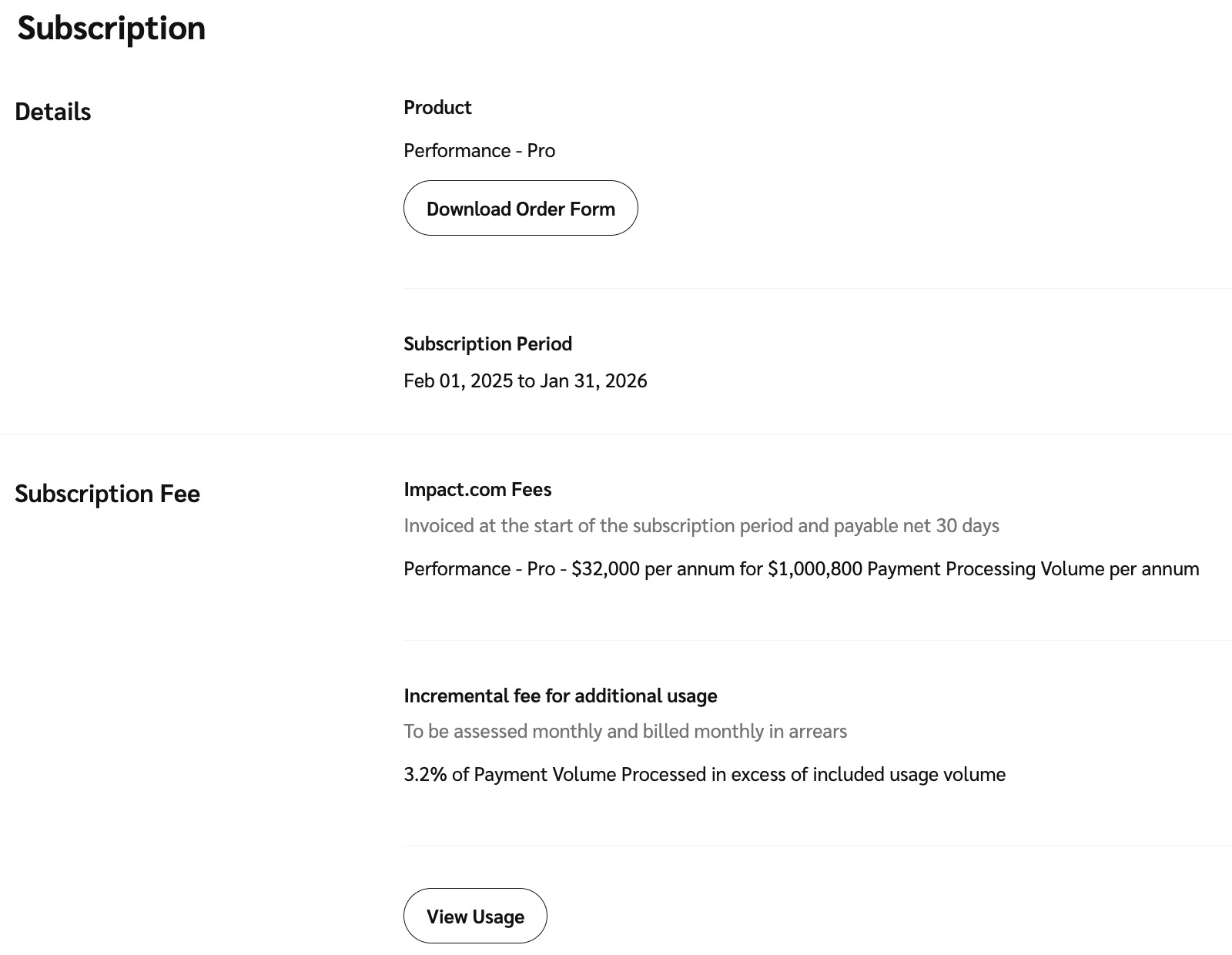
Product
The name of the impact.com edition to which you are subscribed. Optionally, select Download Order Form to download your impact.com order form.
Subscription Period
The start and end dates of your subscription.
Renewal Period
The date on which your subscription will automatically renew and the start and end dates of the new subscription period.
impact.com Fees
Details about your impact.com fees.
Monthly Subscription Fee
Details about your subscription fee, associated payment dates, and how much *Payment Processing Volume is included in your subscription.
*The value of payments that can be processed on impact.com per month without incurring incremental fees.
Incremental fee for additional usage
An additional fee that is incurred once your usage volumes exceed the agreed contract limit.
View Usage
Select the View Usage button to see more information about Payment Volume usage.
Select View Usage to view your usage details, which shows details about your monthly inclusive and incremental or cumulative volume, as well as any incremental usage fees.
See the Column reference below for more information about the columns on this screen.
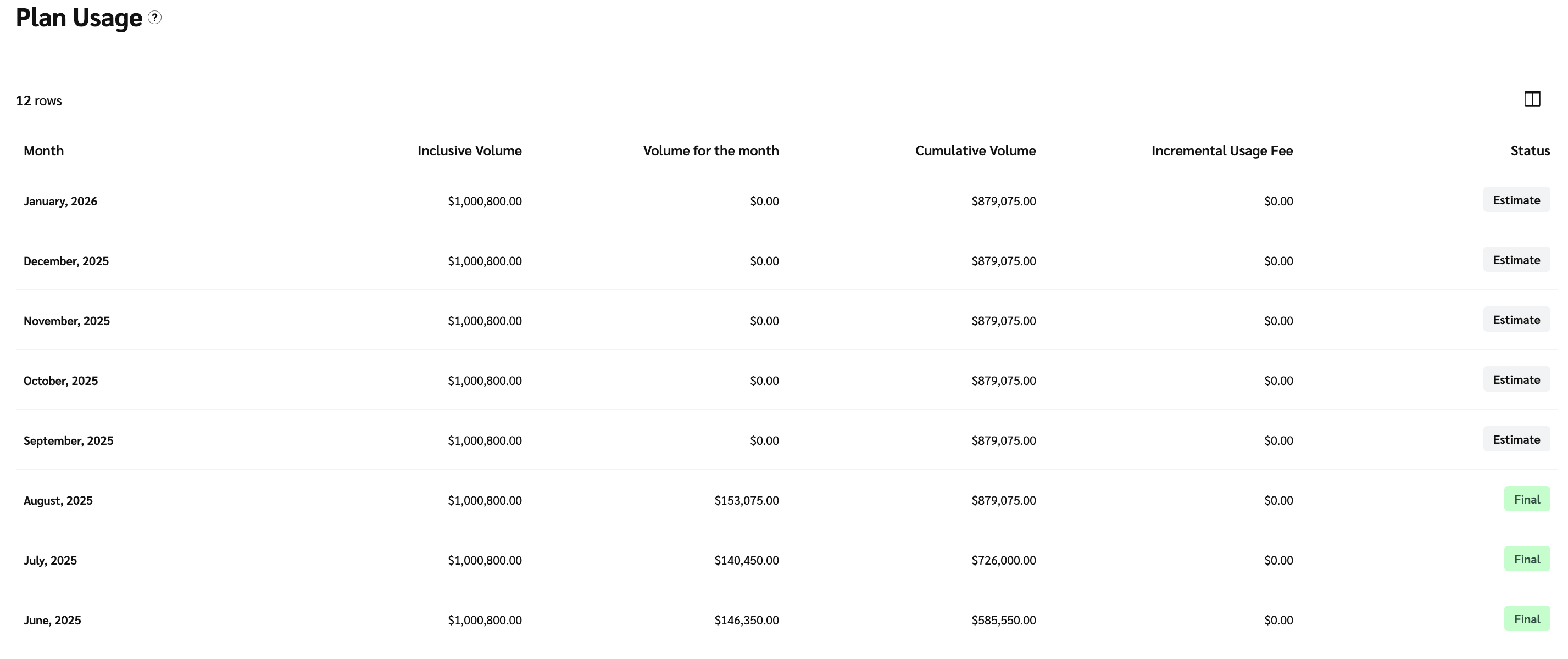
*The screenshot above is an example of an annual subscription account.
Month
The month and year.
Inclusive Volume
The available usage volume is based on your subscription. This figure is increased by subsequent purchases on volume during the period. It applies to annual usage volumes.
Volume for the month (for annual subscription accounts)
A total of the volume used during the month.
Total Volume Used
A total of the volume used during the month.
Cumulative Volume (for annual subscription accounts)
The volume accrued over a year.
Incremental Volume
The amount by which the volume exceeds the inclusive volume.
Incremental Usage Fee
Fees related to excess usage.
Status
Either Estimate for the current month, or Final for previous months.
A status of Estimate indicates that values may still change, while Final means that the values are not expected to change.